


Every Airbnb operator has a time when they need to contact support. As a host, you have access to several help options, from self-service and chat to the community forums through the platform. The challenge is knowing which option will help you resolve your issue the fastest.
Choose the wrong support channel and you may find yourself waiting longer than necessary, getting redirected, or discovering you could’ve solved the problem quickly online. Understanding the best way to raise an issue can significantly reduce delays and help you get a clear resolution sooner.
Never had to contact Airbnb support before and unsure what to do? In this article, we will look at the different channels, which one is best for you, and how to speed up the process.
All the ways hosts can contact Airbnb Support
Airbnb.com offers several methods to get support, meaning you have access to help whenever you need it. Choosing the correct option depends on the nature of the issue you want to resolve. Below is a brief overview of the available options:
- The Help Center: Airbnb’s self-service knowledge base for platform policies, how-to guides, and common host questions.
- The Resolution Center: A tool for handling payment requests, refunds, and damage claims with guests, with Airbnb able to step in if needed.
- Phone lines: A dedicated helpline for urgent or serious issues. Availability and wait times vary by region and type of issue.
- In-app chat: The option to contact support directly from a reservation or help topic, with your booking details attached.
- Airbnb’s social media channels: An informal channel for host and guest feedback.
- Superhost priority support: Faster access to experienced agents, available only to those with Superhost status.
Source
When hosts should use each Airbnb support channel
Many issues are time-sensitive, so it helps to know exactly where to turn to before they arise. Here is a quick guide to common situations, the best support option for each, and what response you can typically expect.
Reservation issues
The Help Center is usually the best place to start if you need to change or cancel a reservation or if something looks wrong with a payment. Many booking and payout issues can be resolved using the self-service tools.
If the issue relates to a specific reservation, contacting support through the Airbnb app is often more efficient. Your booking details are already attached, and you typically receive a response within 24 hours.
For example, Airbnb host Daniel Zisman says he uses Airbnb for guest-initiated cancellations. “A guest wanted to cancel a reservation outside the cancellation window. To do good by them and authorize a partial refund, we would go through Airbnb support. I would not cancel on my end, as there is a negative impact on a host’s account when they cancel.”
Guest misconduct
When someone breaks your house rules, your first step should be to document the issue. You might take photos of the damage or signs that there’s an extra guest. This gives you something concrete to show the Airbnb support team.
Then use the Airbnb app to create a timestamped record linked to the reservation details, which the support team can use to assess the situation. They should get in touch within 12 to 24 hours.
If the situation feels serious, however, contact Airbnb support directly via one of the phone lines. That includes any issues where you think there’s a risk to someone’s safety or a guest’s behavior is significantly impacting your business.
Property damages
The Resolution Center is the correct channel for filing claims and requesting damages. As it’s tied to Airbnb’s AirCover protection, you must follow their guidelines, including making the report within 14 days of check-out and submitting evidence.
Once you’ve opened the claim, resolution times depend on whether the guest disputes the damage. Airbnb should keep you updated while they reach a verdict.
Zisman says he had a positive experience with Airbnb after guests lost an item. “We had a young group who tied up our canoe too close to the water, and it got taken out,” he says “My cleaner told me it was missing so I tried calling and messaging the guests, but they were ignoring my calls on purpose. I contacted Airbnb and they refunded the amount of the canoe so I was able to purchase a new one.”
Account issues
Common problems with setting up and maintaining accounts are often covered in the Help Center. If you have an unusual issue, you can also try the Community forum to see if any other hosts have a solution.
If you have trouble accessing your account, contact the Airbnb support team directly. This usually counts as a serious issue, as you need to be able to confirm bookings and communicate with guests to keep your business running smoothly.
Host cancellations
Airbnb lets you waive the host cancellation fee if you have a valid reason for ending the reservation. That includes sudden serious illness or injury or severe weather conditions that you couldn’t have foreseen.
The best channel is the Airbnb app, where you can both cancel the reservation and apply for the waiver. At the same time, you can reach out to the guest to apologize. This reduces the chances that they’ll complain to Airbnb or leave you a negative review.
General questions and clarifications
The Help Center usually has answers to questions about policies and platform rules. They also provide pages for specific regions as Airbnb frequently coordinates with local authorities and incorporates their rules.
If you hold Superhost status and need advice on something that affects your listings, priority support offers you faster responses.
What information hosts should prepare before contacting Airbnb
When contacting Airbnb, it helps to have the right information ready before you reach out. Some details are required in every situation, while more complex issues may need additional documentation. The checklist below will help you make sure you are prepared:
Information you will nearly always need:
- Reservation codes
- Guest names
- Booking dates
- A clear description of the issue
- When the issue started
If you work with a co-host, make sure they have access to all the relevant details. Airbnb may want to liaise with whoever handled the booking or communicated with the guests for this specific reservation.
Some issues may call for additional information. Here are some of the situations and the details you may need for each:
- Account issues: Login details, listing page, co-host details
- Payments: Payout ID, banking notifications, transfer histories, transaction references and timestamps
- Rule violations: Message history, house rules, a brief timeline of events
- Property damage: Photos, videos, repair estimates
- Policies: License number, inspection report, tax returns
Being prepared helps Airbnb route your case to the right team and reduces unnecessary back-and-forth. The better prepared you are, the faster Airbnb can resolve your issue.
Alternative methods to Airbnb Support
You can address some issues without waiting for Airbnb to help. Even if you do need to contact support later, taking initial action yourself can help speed up the resolution and strengthen your case by showing what steps you have already taken.
- Remind guests of the house rules: Visitors may be unaware they’re causing an issue. Clearly restating your rules through the Airbnb messaging system can help de-escalate issues and create a written record if they’re not willing to listen.
- Show guests what to do: Damages sometimes occur because people don’t know how to use your amenities properly. You can include instructions, images, and even how-to videos in a digital guidebook like Hostfully to tell them what they’re doing wrong and prevent the need for further repairs.
- Ask your Property Management System (PMS): If you use Airbnb management software like Hostfully, we provide 24/7 live chat support to help you with tech issues.
- Talk to other hosts: Post on the Airbnb community forum or the r/airbnb_hosts group on Reddit. Others may have a solution or at least be able to point you in the right direction.
- Call the emergency services: For truly urgent issues, you should call the local authorities first. That’s anything where someone’s life is in immediate danger or they’ve committed a crime.
- Contact your insurance provider: If you have insurance, get in touch with them to find out what your next steps should be. Note that while you can get outside coverage, you shouldn’t be asking for damage deposits from guests off the platform.

Airbnb Support availability and response times
Availability and response times vary by channel. Knowing when they’re open means you know who to contact and when, so you don’t lose precious time.
The Help Center and Resolution Center are available 24/7, so they’re a good first step for issues. As Airbnb is a global corporation, they have people ready to respond at all times of the day and night.
Phone support works differently and depends on the region. For example, it’s available around the clock in the US and Canada but often has limited hours in the United Kingdom, Australia, and New Zealand.
When you call Airbnb phone support, a support agent will answer and work to understand the situation. They will ask a few clarifying questions and check whether a reservation is currently affected, then assess urgency. Depending on the issue, they may handle it immediately, escalate it to a priority team, or redirect you if it can be easily solved.
Just be aware that Airbnb doesn’t have set response times due to the unpredictability and range of possible issues. You can expect a reply within 24 hours for simple questions but complex cases may take days or weeks.
What Airbnb support cannot help with
Support channels are for unexpected issues rather than ongoing business advice or operational decisions. While the support team can help with disputes and platform-related problems, there are limits to what they can step in and resolve.
Here’s what you need to handle on your own or seek support elsewhere for:
- Pricing strategy or profitability advice: Airbnb doesn’t give you any advice on pricing strategy or revenue optimization beyond providing basic tools. Hosts looking for extra insights can use their Smart Pricing to set rates or try specialist dynamic pricing tools that integrate with their PMS.
- Removing fair but negative reviews: You can’t ask Airbnb to remove reviews that followed their policies, even if you feel they are outdated or no longer reflect your hosting standards.
- Resolving personality conflicts with Airbnb guests: The support team can step in when guests breach policies, but it does not mediate personal disagreements. For example, they won’t back you up if you simply feel someone is “annoying”.
- Unknown damages: Airbnb host Anna Pogrebniak says sometimes damages slip past the cleaners. “The problem is that Airbnb requires you to claim the damage against a specific guest,” she says, “After coming back from months of travel, I genuinely have no idea who caused what.
- Immediate payouts: You can’t ask Airbnb to release payments earlier. All transfers are based on strict schedules, whether they’re for standard reservations, fees, or damages.
- Acting outside Airbnb policies or timelines: Support can’t make exceptions to stated policies, deadlines, or claim windows. For example, you can’t contact guests outside of Airbnb and use these messages to back up your claims. All communication must be on-site.
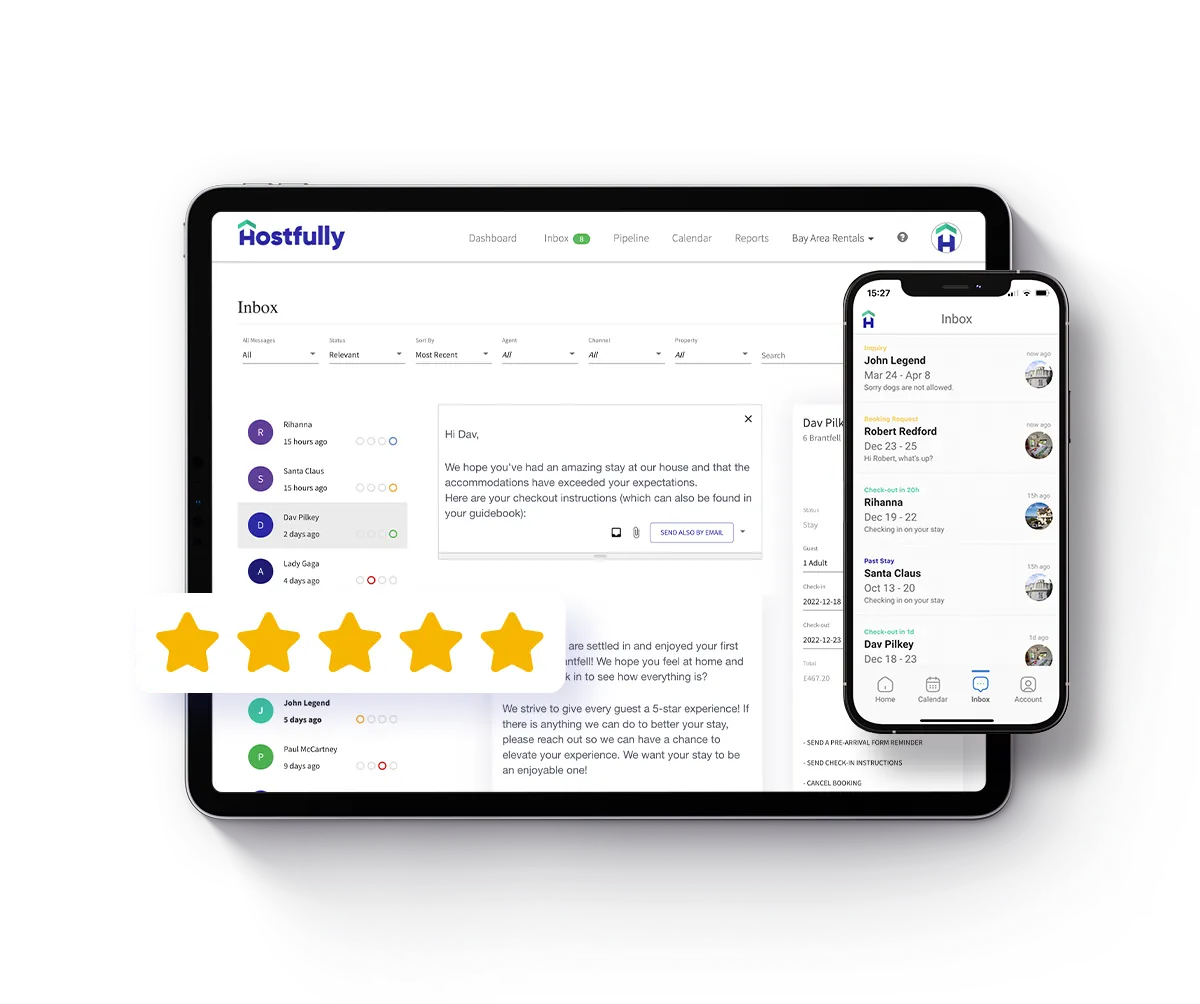
Get the support you need faster with Hostfully
Knowing how and when to contact Airbnb support helps you resolve issues faster, reduce stress, and keep your hosting business running smoothly. By choosing the right channel and preparing the right information, you can avoid delays and get clearer outcomes when problems arise.
That said, many support issues become easier to manage when fewer things go wrong in the first place. Hostfully PMS helps you stay organized, proactive, and responsive so you spend less time chasing support and more time delivering great stays.
- Centralized guest communication across channels
- Automated messaging and saved reply templates
- Clear documentation through digital guidebooks
- Integrated damage deposits and claim support workflows
- Unified booking, payout, and reservation management
- Activity logs and records to support disputes
- Faster issue resolution through better operational visibility
With everything connected in one place, Hostfully gives you more control, fewer surprises, and the confidence to handle issues early before they ever need to escalate to Airbnb support.

FAQs about Airbnb support
Can hosts contact Airbnb support by email?
No, Airbnb doesn’t offer a direct, monitored email address for host support. Most issues must go through the Help Center, app, or phone, where cases are logged and tracked properly.
Is Airbnb host support available 24/7?
Yes, Airbnb offers 24/7 support for urgent issues, but availability for phone and live chat varies by region. Non-urgent requests are usually only during local business hours.
How do I speak to a real person at Airbnb as a host?
Hosts can reach a live support agent by requesting a call through the Airbnb platform, app or Help Center. You can call agents to speak to someone directly if you have an urgent problem like a safety concern or legal issue.


