

Double bookings quickly spiral into serious business problems for vacation rental operators. One scheduling error can lead to a bad review, last-minute guest relocations, and booking platform fees.
In particularly severe cases, one double booking can affect your visibility and income long after you resolve the issue.
What you need to know is that double bookings are rarely isolated mistakes. They usually point to gaps in how you manage availability, configure tools, or have your team handle the booking process. When calendars, systems, and workflows aren’t aligned, small oversights turn into costly problems.
In this guide, we break down what double bookings are, why they happen, how to prevent them through better calendar management and clearer processes, and what to do if one still slips through.

What are double bookings?
Double bookings happen when two sets of guests reserve the same property on overlapping dates. They’re a serious business issue because they usually mean you have to cancel or relocate someone.
The consequences for double bookings can be significant. Online Travel Agencies (OTAs) often penalize hosts for double bookings by charging them extra fees, reducing their visibility in search results, and temporarily suspending their accounts. They may permanently ban accounts for repeat incidents.
Even if you manage bookings entirely yourself, double bookings can cause serious issues. Guests may leave negative reviews and complain to people they know, causing a lot of damage to your reputation.
What are common causes of double bookings?
There are many possible causes for double bookings:
- Tech failure: Software doesn’t update calendars or takes a long time to sync availability across channels.
- Manual updates: Companies rely on manual entry, and team members accidentally confirm the same dates during busy periods.
- Human error: Teams add the incorrect dates to the system or fail to add them altogether.
- Guest confusion: People book the wrong dates, but still expect the company to accommodate them.
- Unapproved stays: Owners (or their family and friends) decide to use the property without warning the company.
- Flexible stays: Vague terms lead guests to believe they can extend their booking past their current check-out date.
How to manage your calendar and prevent double bookings
Preventing double bookings comes down to keeping availability consistent across every touchpoint, reducing opportunities for mistakes, and setting clear boundaries with guests. Below are some strategies to help get better control over your calendar:
Use a channel manager to sync your availability
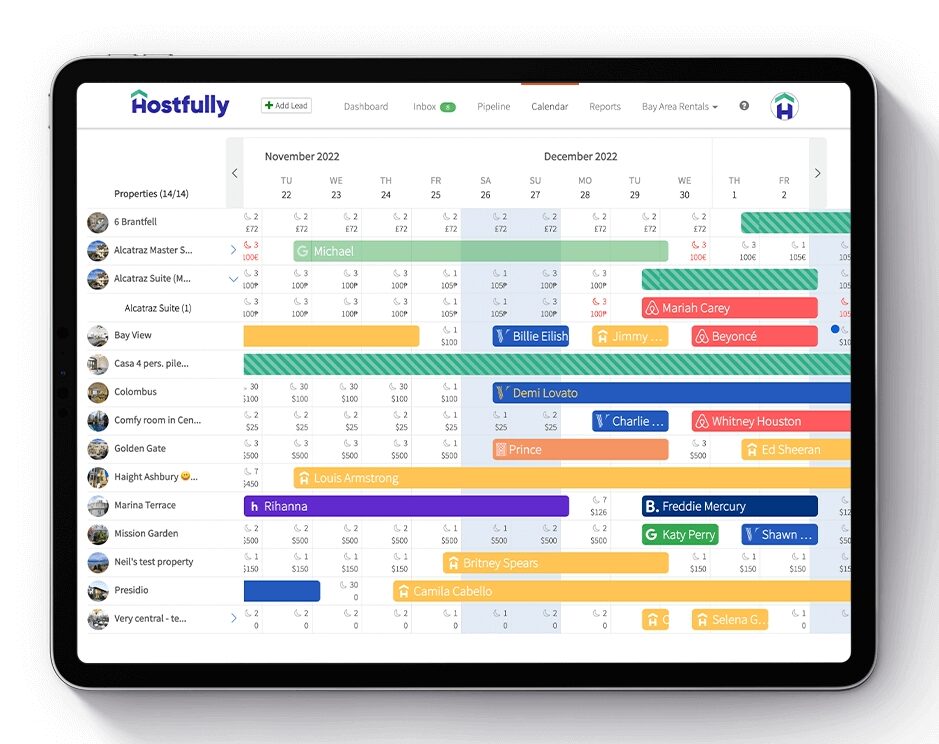
A channel manager is an effective vacation rental tool you can use to prevent double bookings. Software like Hostfully centralizes availability across all your booking channels and your direct booking website to prevent conflicts.
In practice, this means when a guest books on one platform, you automatically close dates everywhere else. There’s no lag that can lead to overlapping reservations. That’s especially important when you’re trying to list on multiple channels to reach more people and boost your occupancy rates.
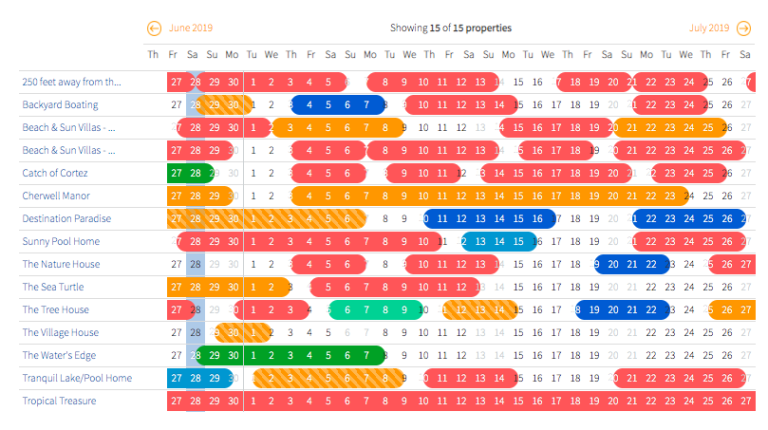
Combining a channel manager with a Property Management System (PMS) like Hostfully offers you the best results. Instead of logging into separate platforms, you can work from a single source of truth with one dashboard. This reduces human error, speeds up response times, and makes it much easier to see what’s booked, what’s blocked, and what’s still available.
Add a booking widget to your direct booking website
As your vacation rental management business grows, you may start relying less on OTAs and more on getting direct bookings on your website. But with bookings coming in directly alongside other channels like Airbnb, Vrbo, and Booking.com, it becomes harder to keep track of your calendar.
Setting up a booking widget on your website means you don’t have to manually input reservations that guests make directly with you, minimizing the risk of human error. For example, the Hostfully booking widget is compatible with any HTML website. It not only syncs with all your other calendars but also displays your current nightly rates.
Plus, Hostfully’s booking widget:
- Displays local currencies
- Works in a variety of languages
- Updates in real-time
- Lets you activate instant book or get approvals
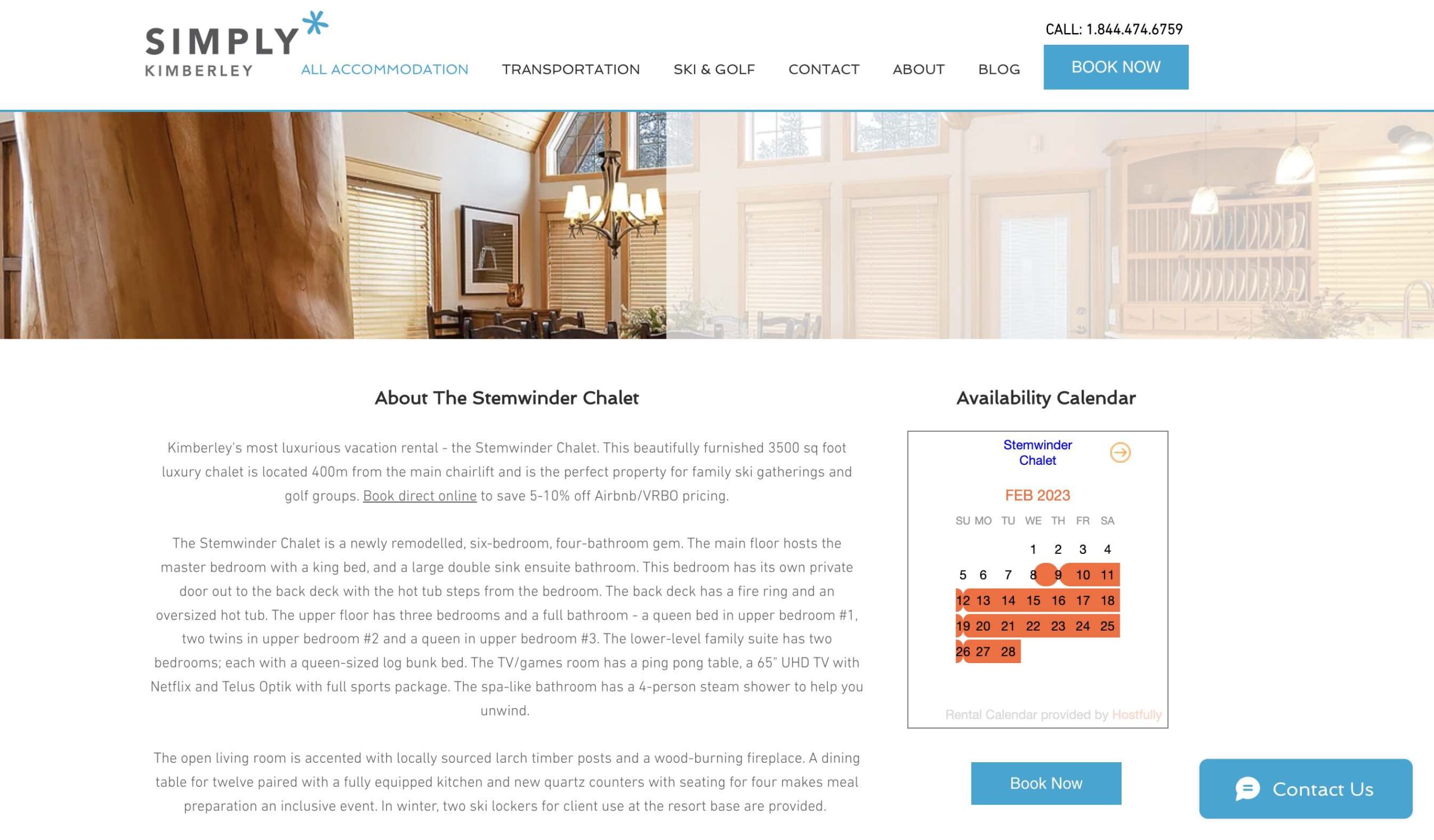
Best of all, Hostfully’s booking widget is customizable. You can adjust elements like the color, location, and transparency so that it matches your brand.
Avoid mixing manual and automated updates
Once your business relies on automated syncing, avoid making manual edits. It’s the fastest way to introduce errors back into your system.
The safest approach is to commit to one workflow for availability changes. Make your PMS the control center and avoid making one-off edits on individual platforms or on paper unless strictly necessary. If you need to make manual changes, document them and review the calendar afterward to ensure there are no conflicts.
As your team grows, set clear rules about how and when they update availability. For example, you can remind them that most OTAs require users to make edits to their original reservation via the platform. They can ask you for assistance, but they should follow these policies.
Require approvals for last-minute bookings
Last-minute bookings carry a higher risk of overlap, even with automated systems in place. Changes happen quickly, staff may be offline, and nobody may be available to review updates before another request comes in.
Requiring approval for same-day bookings gives you a buffer. It gives you time to confirm the calendar, check for recent changes, and make sure there are no owner blocks or pending requests. This is particularly useful during busy periods when everyone has less time to double-check the system.
Hostfully lets you decide whether to enable instant bookings or request approvals. You can see the status of every reservation via our unique CRM-style booking pipeline and easily respond.

Limit who can block and edit dates
Mistakes are more likely to happen with large teams. When too many people can block dates or approve bookings, they may make manual overrides that lead to double bookings.
Reduce this risk by implementing user permissions. You can assign roles to team members and decide what exactly they’re allowed to change in your system. This keeps responsibilities clear and gives management a chance to review changes before they affect your calendar.
Leading PMS platforms like Hostfully allow role-based access so you can grow your team without introducing extra risks. It’s not necessarily about a lack of trust; it’s about not giving people more responsibility than they’re ready for.
Set clear terms for flexible stays
Flexible stay policies can affect availability if you don’t set clear expectations. Long-term guests may assume you can guarantee extensions and be unhappy to leave to make room for the next booking.
To avoid these situations, include a detailed flexible stay policy in your vacation rental agreement. You should include the following:
- Whether extensions depend on availability
- How much notice do you need for extensions
- How long can guests extend their stay for
- Whether you can promise the same property
- If any dates are blocked
Additionally, refer to this policy in your bookings and pre-arrival communication so there’s no confusion. Just make sure all messages are consistent. Unclear rules are more likely to lead to confusion and make it harder to say no when availability tightens.
| Pro-tip: Don’t just put your agreement in writing. Get your guests to provide an electronic signature using Hostfully PMS to make it official. With our software, you can easily send everyone messages with the files attached and get them to sign. |
Treat owner stays like real bookings
Owner stays are a common reason for double bookings. When you handle them informally, owners may mistakenly believe they can have access to a property during a reservation.
The answer is to treat owner stays exactly like guest bookings. Add them to the calendar using the same process as you would for normal reservations, even if you don’t take a payment or send messages. You must avoid handling their bookings via SMS, email, or verbal agreement, where they might get overlooked.
Sharing access to your PMS with owners also helps. It gives them visibility into availability and reduces last-minute requests that might disrupt your normal workflows.
How to handle double bookings
Even with strong systems in place, double bookings can still happen. Here’s what you can do to minimize disruption and prevent negative reviews:
- Identify which reservation you need to cancel based on OTA rules or policies
- Check the reason for the mistake
- Reach out to the OTA for a remedy if it was a platform error
- Explore possible alternatives for the booking you cancelled
- Inform the guest you cancelled as soon as possible and explain the situation
- Offer an apology if your company or the OTA was at fault
Your company may not be to blame for the double booking. Even if so, maintain a polite and friendly tone and focus on finding solutions. How you handle the situation often determines whether it results in a negative review or a recovered guest relationship.
How popular OTAs handle double bookings
Every major OTA has its own system for handling double bookings. Understanding their policies can help you see what to avoid to prevent issues and what to do should you have an issue.
| OTA | Action to take if you double-book | Potential consequences for hosts |
| Airbnb | Cancel one of the reservations | Cancellation fees starting at $50, reduced visibility, and possible loss of Superhost status |
| Vrbo | Cancel one of the reservations | Cancellation fees starting at $50, reduced visibility, and a seven-day suspension |
| Booking.com | Handled on a case-by-case basis by the customer support team | Potential relocation at the host’s expense |
Avoid double bookings with smarter systems and Hostfully
Double bookings are rarely bad luck. They’re a sign that tools or processes aren’t fully aligned. Reducing manual updates, tightening control over availability, and keeping every channel in sync can help you turn them from repeat disasters into rare exceptions.
Hostfully PMS has everything you need to prevent double bookings with:
- A built-in channel manager to sync availability across OTAs
- A direct booking website and booking widget with real-time calendar updates
- A centralized calendar as a single source of truth
- Role-based permissions to control who can edit availability
- Booking rules and restrictions for short-notice stays
With fewer availability conflicts to worry about, you can spend less time firefighting calendar issues and more time running a reliable, scalable vacation rental business.
FAQ: Frequently asked questions about how to avoid double bookings
What happens if an Airbnb host double books?
If an Airbnb host double books, they’re usually required to cancel one of the reservations. This can trigger cancellation fees, affect search visibility, and put Superhost status at risk. Airbnb takes repeat cancellations seriously and may temporarily ban or remove the offending host’s account.
Why do you need to avoid double bookings?
Avoiding double bookings protects your guest relationships and, therefore, your long-term revenue. Guests who have their stay cancelled at the last minute are far more likely to leave negative reviews and ratings. On top of that, most OTAs penalise hosts for cancellations, which can reduce visibility in search results and make it harder to maintain consistent occupancy rates.
How do you apologize for a double booking?
Apologizing for a double booking starts with taking full responsibility. State that you’re sorry for what happened, offer an explanation, and quickly move to solutions — such as offering an alternative property, helping secure comparable accommodation, or covering any reasonable price difference.