
A digital guidebook is a mobile-friendly resource that gives short-term rental guests everything they need for their stay in one place: check-in instructions, a house manual, Wi-Fi details, local recommendations, and check-out steps. Unlike printed binders, digital guidebooks travel with guests on their phones, can be sent before arrival, and update instantly. For hosts, they cut repetitive guest messages, enable self-check-in, and create upsell opportunities. This guide covers what digital guidebooks are, what to include, real operator examples, and the practices that separate guidebooks guests actually use from ones they ignore.
You’ve answered the Wi-Fi question forty times this month. The check-in directions are in the confirmation email, the house manual, and a follow-up message you sent yesterday. You still got a call at 10pm asking where the lockbox is. That’s the tax on time you don’t have, and it’s coming out of every hour you could spend growing the business instead. A digital guidebook doesn’t eliminate guest communication entirely, but it absorbs the bulk of it by giving guests the answers before they know they need them. Hosts who use them well report spending a fraction of the time on routine inquiries. Here’s exactly what digital guidebooks are, what to put in them, and how to make one that gets used.
What is a digital guidebook?
A digital guidebook is a mobile-accessible resource that gives vacation rental guests detailed information about the property, amenities, local area, and stay logistics. It lives on a web page, not in a physical binder on the kitchen counter. Guidebooks have become standard across the short-term rental industry. Hosts on Airbnb, Vrbo, and direct booking sites share them with guests before arrival and during the stay. They’re inexpensive to roll out, easy to update, and centralize everything a guest might need without requiring a phone call to the host. Because they’re digital, guests carry the guidebook on their phone wherever they go. They can pull up restaurant recommendations from a park bench or check the Wi-Fi password without scrolling through a welcome email from three weeks ago.
How is a digital guidebook different from a printed one?
Printed guidebooks have been a hospitality staple for decades, but they have two problems that get worse as your portfolio grows.
The first is portability. A binder only works when the guest is inside the property, but most guest questions happen when they’re not: “Where should we eat tonight?” “Is there a pharmacy near the museum?” A binder can’t answer those, but a phone can.
The second is maintenance. The information in a printed guidebook is frozen at the moment it was printed, so when a restaurant closes or the Wi-Fi password changes, the binder is wrong and you don’t find out until a guest complains. With two or three properties, reprinting isn’t a huge lift. With ten or more, it becomes genuinely impractical to keep every binder current. One version update in a digital guidebook pushes to every property instantly.
What are the benefits of a digital guidebook for guests?
Guidebooks shift the guest experience from reactive to self-serve, which most guests actually prefer.
Convenience on the go
Guests get curated recommendations and property information at their fingertips, whether they’re at the rental or out exploring. The best digital guidebooks work in a browser without requiring an app download, since asking guests to install software adds friction most won’t accept.
Independence and flexibility
Self-check-in is the headline benefit here. When a guidebook includes lockbox codes, buzzer instructions, and parking directions, guests can arrive on their own schedule without coordinating a key handoff. Late flight at midnight? No problem. Early arrival on a quiet afternoon? Also fine.
Everything in one place
Without a guidebook, guests piece together information from booking confirmation emails, separate house manuals, area guides, and direct messages with the host. A digital guidebook consolidates all of that, so guests stop hunting for what they need.
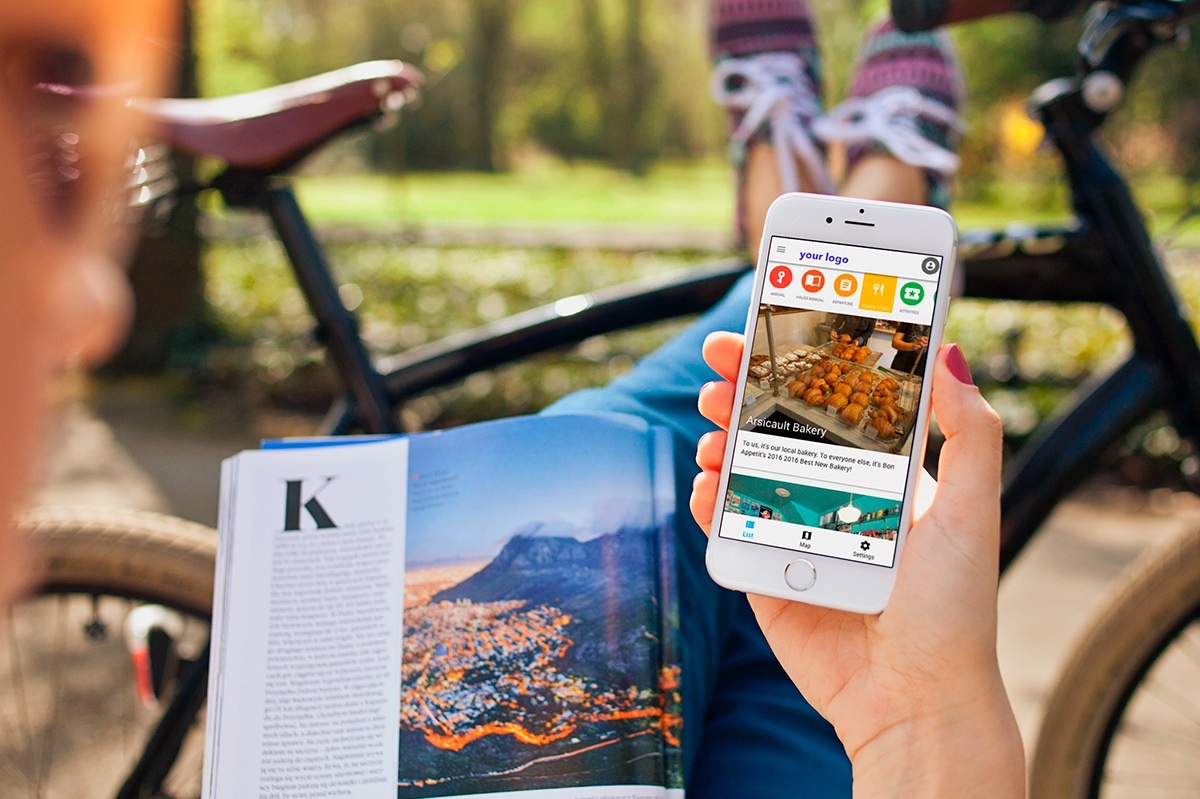
Answers before they need to ask
Common guest questions: Where’s the nearest grocery store? How does the thermostat work? What’s the Wi-Fi password? Is there parking? A good guidebook answers all of these proactively, so guests don’t lose vacation time waiting for a reply and hosts don’t lose work time giving one.
What are the benefits of a digital guidebook for hosts?
For operators, guidebooks are primarily a time-reclamation tool with upside revenue.
Fewer repetitive guest messages
The same questions come up over and over: check-in, Wi-Fi, parking, trash day, appliance instructions, area recommendations. Answering each one individually adds up to hours every week. A guidebook absorbs the bulk of that volume, and unlike a message reply, it works at 2am without waking anyone up.
Self-check-in without the coordination overhead
With access instructions in the guidebook, hosts and staff don’t need to physically meet every guest. That frees up time for tasks that actually need human attention, which matters most when you’re managing multiple turnovers in a single day.
Upsell opportunities in context
A guidebook is a natural surface for paid add-ons: early check-in, late check-out, mid-stay cleans, grocery delivery, airport transfers, local tours and experiences. Guests are already looking at the guidebook when they’re planning their stay, so the offers land in context rather than as cold marketing.
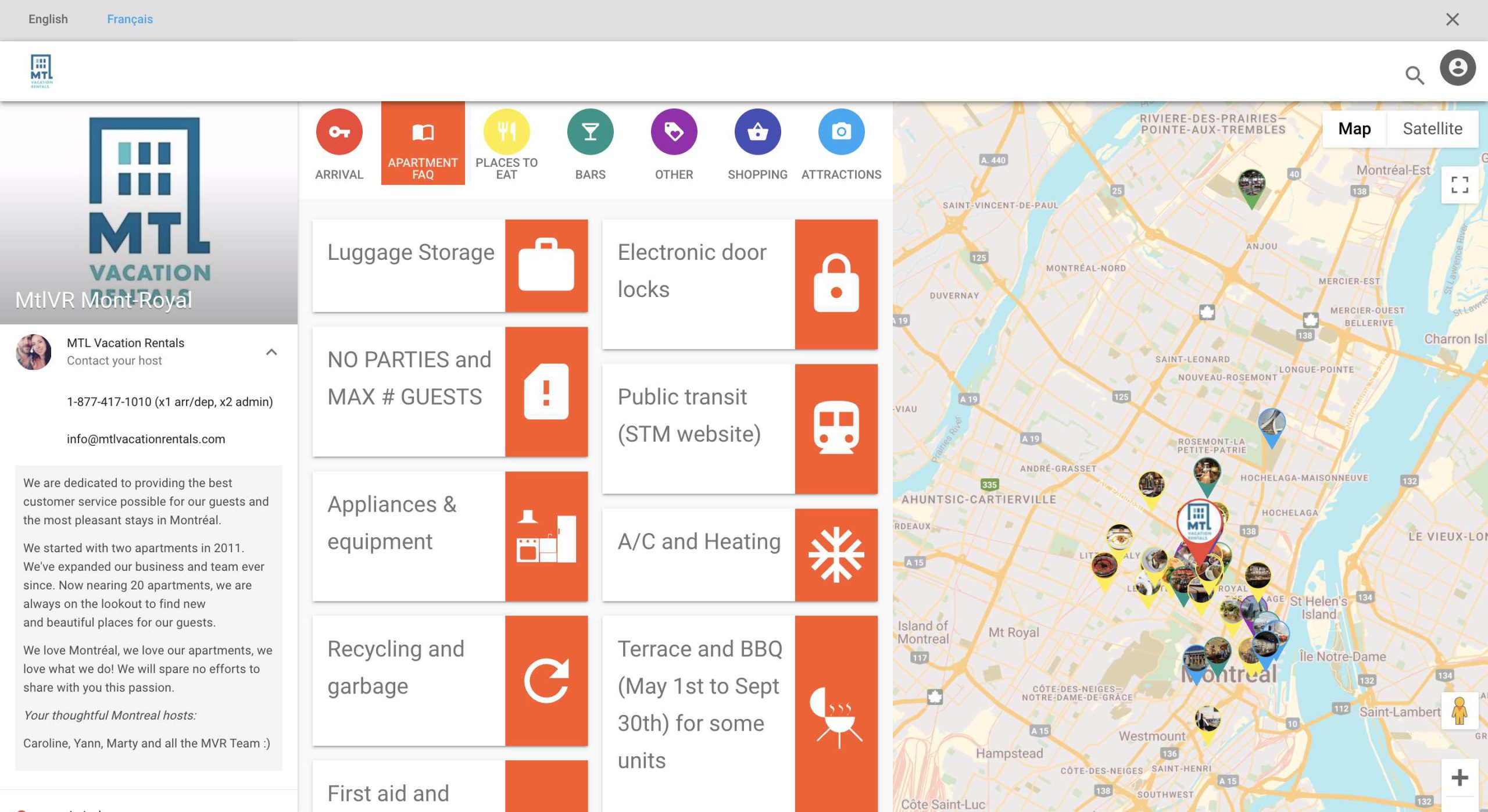
A direct marketing list that’s yours
When guidebooks require an email address for access, hosts build a list of past guests they can market to directly. That list is the foundation of a direct-booking strategy that doesn’t depend on OTAs and doesn’t disappear when a platform changes its algorithm.
What should you include in a digital guidebook?
A good guidebook is comprehensive without being overwhelming. The structure below works for most short-term rentals and covers the full arc of the guest stay.
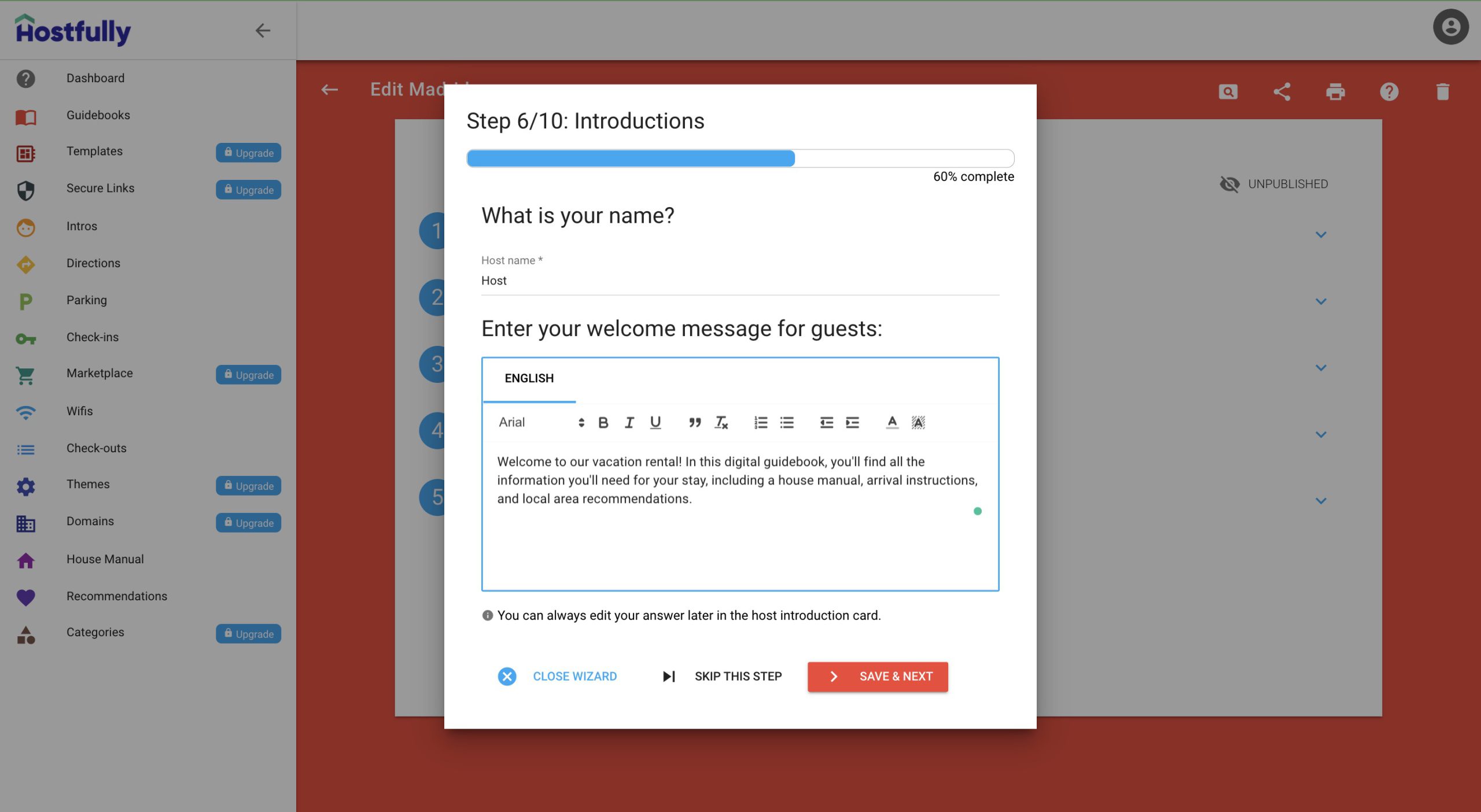
Welcome message
Open with a short, warm introduction. A few sentences that thank the guest for booking, briefly describe what the guidebook is, and set the tone for the stay. Personalization helps: mention the property name and the host or property manager by name.
Pre-arrival information
Send the guidebook before check-in so guests can review what they need. Include check-in time, address and directions, parking instructions, packing suggestions, and the Wi-Fi name and password.
Property access
For self-check-in, walk guests through exactly how to get in: where the lockbox is, how to open it, the smart-lock code, how to use the buzzer in an apartment building. Photos help, especially for properties that are hard to find or have unusual entry procedures.
House manual
Cover anything a guest might need to operate or find: thermostat, dishwasher, washing machine, coffee maker, smart TV, hot tub, fireplace, extra linens, cleaning supplies. House rules belong here too: quiet hours, pet policy, smoking policy, maximum occupancy.
Local recommendations
This is what separates a transactional guidebook from one guests remember. Curate recommendations rather than dumping a Google Maps list. Categories worth covering:
- Restaurants and cafes, with a note on what each one is best for
- Bars and nightlife
- Grocery and convenience stores
- Major attractions and landmarks
- Activities, tours, and experiences
- Practical services like pharmacies, ATMs, and laundry
Tour and activity booking
If your guidebook platform supports it, let guests book tours and activities directly from the guidebook. Many platforms integrate with Viator or similar marketplaces and pay commission on bookings, turning recommendations into a revenue line.
Check-out instructions
Spell out what guests need to do before leaving: check-out time, where to put used towels, whether to start the dishwasher, where to leave keys, and a link to leave a review. Clear check-out instructions reduce friction for cleaners and improve turnover times on busy changeover days.
What does a good digital guidebook look like in practice?
A few examples from real short-term rental operators show how these principles translate in the field.
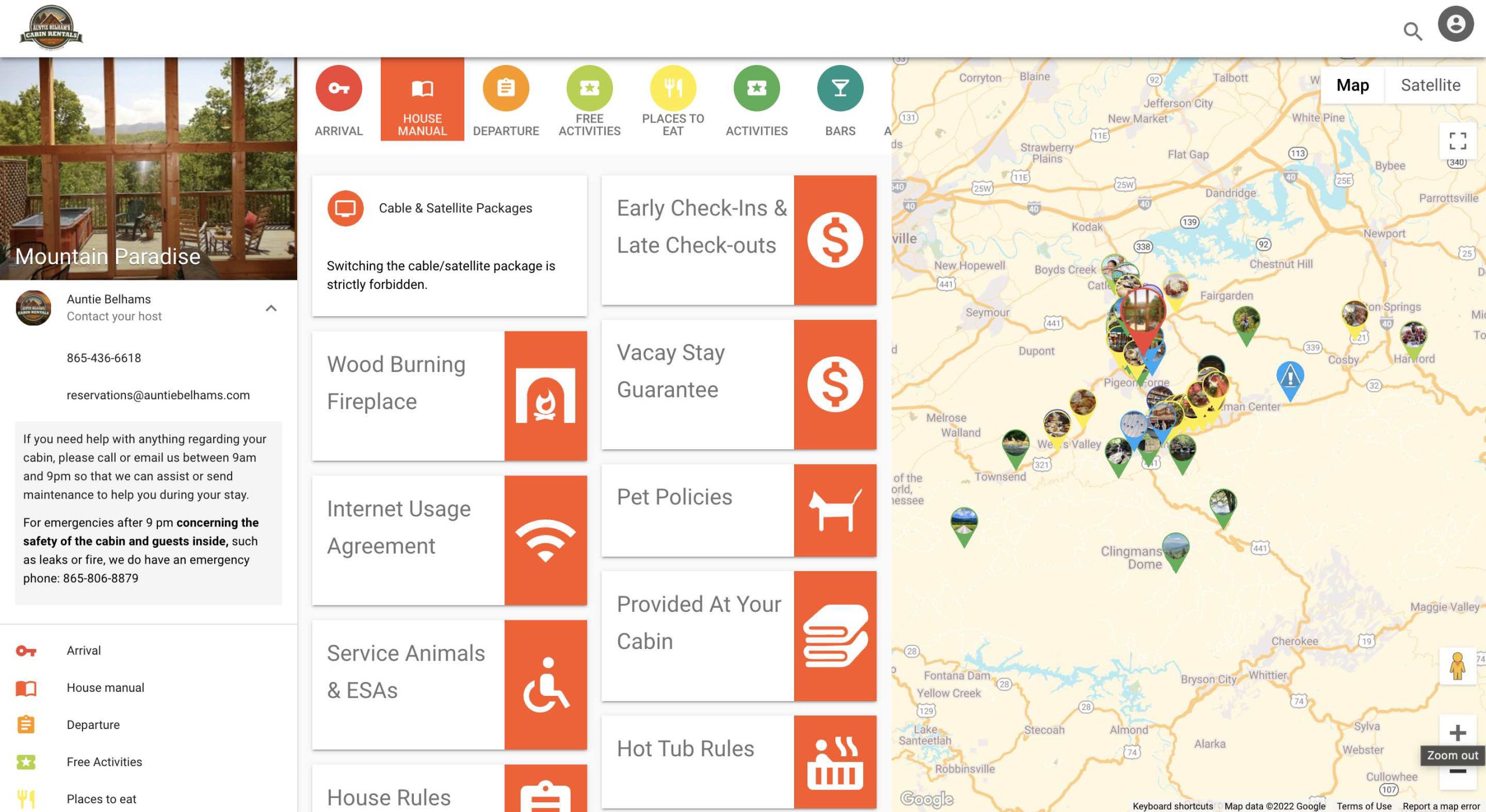
Auntie Belham’s Mountain Paradise
Auntie Belham’s manages cabins in a remote area, so their guidebook leans heavily on FAQs. They list exactly what linens and supplies are provided, explain how to handle wildlife encounters, and document quirks like fireplace operation and hot tub rules. The proactive answers cut guest messages and help guests feel prepared for a setting that’s less familiar than a city apartment.
Cuevas Helena
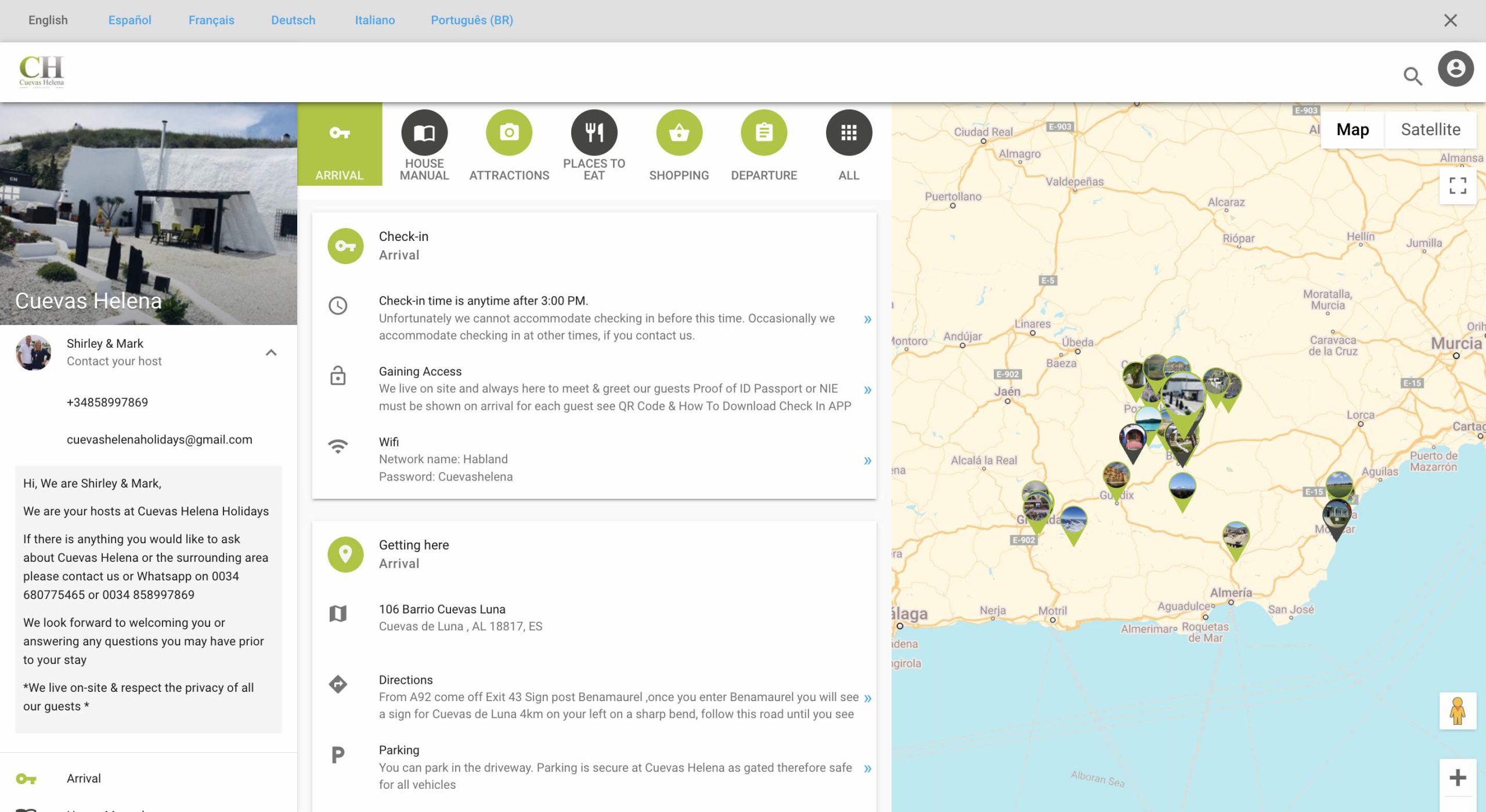
Cuevas Helena rents cave dwellings in Spain that are genuinely hard to find. Their guidebook leads with detailed directions, photos of the approach, and check-in contact information. They also translate the guidebook into multiple languages, which matters for an international guest base. The result is fewer “I’m lost” calls during the chaotic first hour of arrival.
Saigon Living
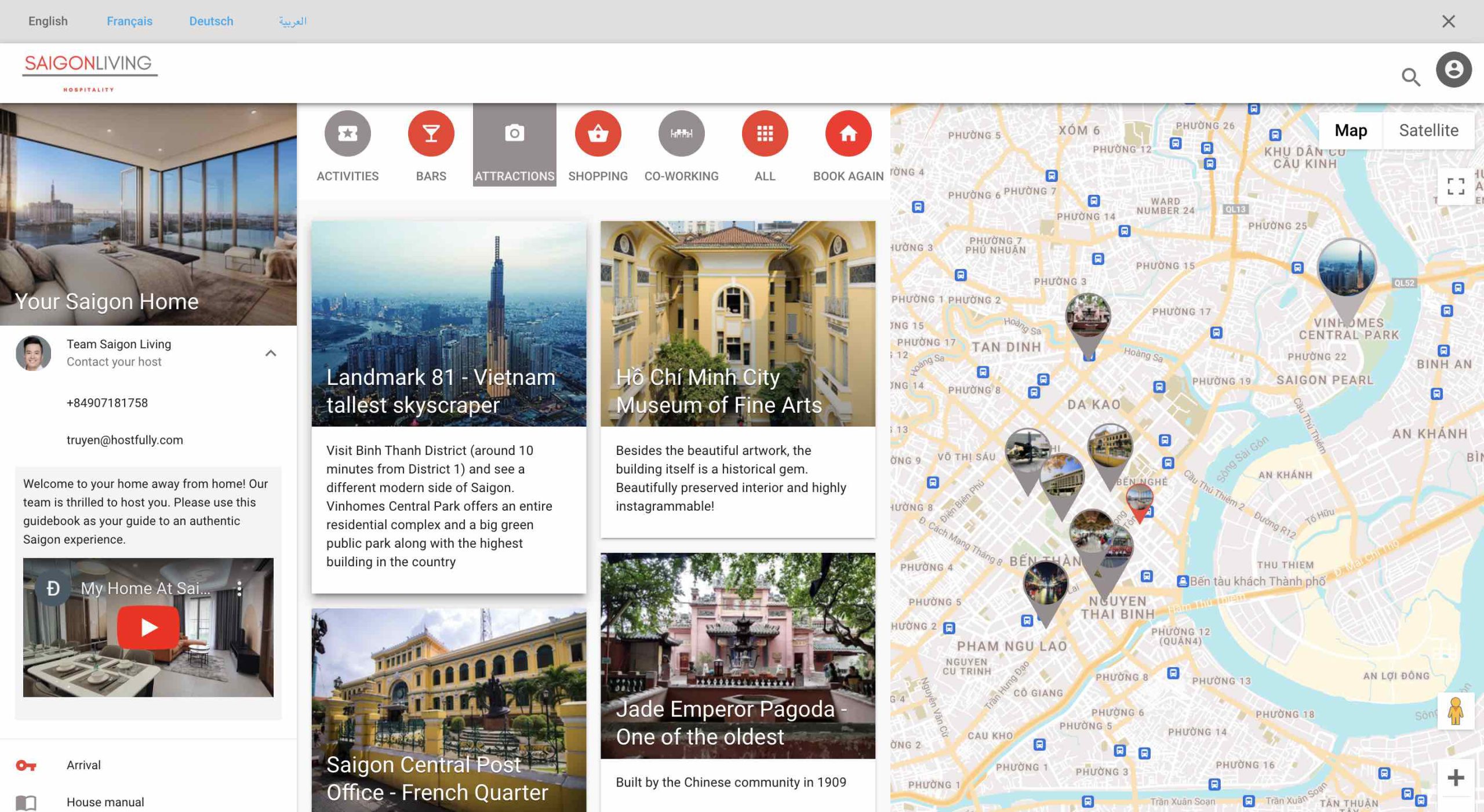
Saigon Living operates in Ho Chi Minh City and uses their guidebook to spotlight curated city recommendations. They go beyond standard tourist attractions to cover coworking spaces, niche shopping, and neighborhood-specific tips that match the kind of traveler who books their properties. Knowing your ideal guest and tailoring recommendations to them is what makes a guidebook feel personal rather than generated.
What makes a digital guidebook actually get used?
The mechanics of guidebook creation are easy. The harder part is building one guests open, scroll through, and refer back to during the stay. A few practices separate guidebooks that earn their keep from ones that get ignored.
Send it the moment the booking confirms
The best time to share a guidebook is the day the booking is confirmed, not the morning of check-in. Guests do their planning ahead of time. If the guidebook lands when they’re already on the plane, half its value is gone.
Make it browser-based, not app-based
Guests are on their phones. A guidebook that requires an app install loses a meaningful share of guests before they read a word. The format that works is a web link that opens in any browser and renders cleanly on a small screen.
Curate, don’t enumerate
Listing fifty restaurants is worse than listing six. Guests want a host’s perspective, not a search result. Pick the places you’d actually send a friend, note briefly why each one is worth the visit, and leave the rest out.
Keep it current
Outdated information is worse than no information. When a restaurant closes, a Wi-Fi password changes, or check-in instructions get revised, update the guidebook the same day. That’s the core advantage digital has over print: you can.
Use templates across your portfolio
Most of the information in a guidebook, local recommendations, area guides, house rules structure, is the same across properties in the same market. Building from a template rather than from scratch saves hours per property and makes scaling to twenty or fifty listings manageable instead of brutal.
How do you choose a digital guidebook platform?
Several platforms are built specifically for short-term rental guidebooks. The features that separate adequate from genuinely useful:
- Browser-based delivery. No required app download for guests.
- Template support. Clone guidebooks across properties and push shared content updates instantly.
- Upsell integration. Built-in support for early check-in, late check-out, mid-stay services, and partner offerings.
- Multi-language support. Important for properties that attract international guests.
- Automated delivery. Integration with your booking system so guidebooks send automatically when reservations confirm.
- Email capture. A splash-page option that gates access behind an email address.
A property management system with native guidebooks built in is usually simpler than running a separate tool, since booking data and guidebook delivery live in the same place. Hostfully’s digital guidebook platform includes templates, marketplace upsells, splash-page email capture, and multi-language support as part of the PMS, so there’s no separate tool to manage.
Frequently asked questions about digital guidebooks
What is the difference between a printed guidebook and a digital one?
A printed guidebook is a physical binder left at the property. A digital guidebook is a web-based resource guests access on their phone. Digital versions can be sent before arrival, travel with guests when they leave the property, and update instantly when information changes. Printed guidebooks only work when guests are physically in the rental and become outdated the moment something on the page changes.
Do guests need to download an app to use a digital guidebook?
No, not with the best platforms. Most modern digital guidebooks run in a web browser, so guests tap a link and the guidebook opens immediately. Requiring an app download adds friction and reduces the share of guests who actually use the guidebook.
When should I send the guidebook to guests?
Share it as soon as the booking is confirmed. Guests start planning their stay well before they arrive, and pre-arrival access lets them review check-in instructions, parking, and packing notes ahead of time. Sending the guidebook only at check-in misses most of its value.
How long does it take to create a digital guidebook?
With a purpose-built platform, a first guidebook usually takes a couple of hours, mostly because curating local recommendations takes time. After the first one, templates make subsequent guidebooks much faster, often under thirty minutes per property in the same market.
Can a digital guidebook generate revenue for hosts?
Yes. Most platforms support paid upsells such as early check-in, late check-out, mid-stay cleans, and grocery delivery, as well as partner integrations that pay commission on tours and activities guests book through the guidebook. The revenue compounds across a portfolio over time.
Can one digital guidebook template work across multiple properties?
Yes. Local recommendations, area information, and house rules structure carry across listings in the same market. Property-specific details like access codes, appliance instructions, and exact addresses need to be customized per property, but good platforms make that process fast through templating.
Give guests better answers without spending more time on messages
Hostfully’s digital guidebook platform includes templates, upsell integrations, and multi-language support built into the same PMS that manages your bookings, so setup is fast and the guidebook updates live alongside your operations.