
Hosting on Airbnb can be a great way to earn income, but it also comes with a common concern: what happens if a guest damages your property?
Many short-term rental businesses rely on security deposits for peace of mind. If you have a direct booking site or list on the most popular listing platforms, arranging this ahead of each guest’s stay is relatively straightforward.
Airbnb works differently. From 2022, the platform no longer allowed most hosts to charge a traditional security deposit at checkout. Instead, it has AirCover — a built-in protection program that lets you request funds to cover damages and losses after they’ve happened.
But none of this means hosts are left without options. We’ll walk you through how Airbnb’s protection system works today, when deposits may still be possible, and how to manage damage claims correctly.
What happened to the Airbnb security deposit?
Before 2021, Airbnb let you manage security deposits through your account. You could set an amount and claim it back if guests damaged your property during their stay, as with other listing sites.
Airbnb arranged this through a temporary hold on users’ cards. If hosts reported an issue to the Resolution Center, the platform would charge the guest. If not, the hold would simply expire.
In winter 2021, Airbnb announced its new AirCover for Hosts. This offered free damage protection for up to $1 million for all hosts with any booking made through the platform. Over the next year, the platform then phased out the security deposits, so it was no longer possible to place temporary holds.
Airbnb security deposit options for hosts
AirCover is designed as built-in protection for both you and your guests, but depending on your business and comfort level with risk, you may decide to cover yourself further through Property Management Software (PMS).
Below, we will break down the two main approaches available to hosts today.
AirCover’s built-in protection
AirCover for Hosts is Airbnb’s alternative to security deposits. Instead of hosts collecting the money upfront, you must request payment through the Resolution Center after the guest’s stay. You’re eligible for up to $3 million in damages, along with liability coverage from the moment you accept your first booking.
While it may seem similar, AirCover is different from traditional insurance. It doesn’t provide coverage for natural disasters or direct bookings like specialist policies do.
Misty Valdez, owner of 282 Timbuktu Cabin, says AirCover has been reliable in her experience. “That said, I do wish Airbnb offered a traditional security deposit,” she adds, “I think having a regular deposit would be helpful. If guests had a little more skin in the game, there might be less damage and fewer small issues overall.”
How to manage the Airbnb claims process
If guests cause damage during a stay, act quickly and follow the right steps. While Airbnb has a structured process, hosts must meet all the requirements to successfully make a claim.
Here’s what you need to do:
- Document the damage immediately: As soon as you discover an issue, take clear photos or videos. If repairs are needed, gather written estimates or invoices. The more detailed your evidence, the stronger your claim.
- Submit a request through the Resolution Center: You must file your reimbursement request within 14 days of the guest’s checkout. Miss this window, and your claim automatically becomes ineligible.
- Allow 24 hours for the guest to respond: Airbnb gets in contact with the user and they have a day to accept, partially pay, or decline. Many issues are resolved at this stage without escalation.
- Escalate to AirCover if needed: If the guest does not respond or declines payment, you can escalate the case. Airbnb’s support team will review your evidence and decide whether the claim qualifies for reimbursement under Airbnb’s damage policy.
Pro host tip: Use turnover management software to help you stay organized throughout the AirCover process. Leading solutions help you monitor property conditions before and after stays, and collect photos from your cleaning teams to back up your claims.
API-connected host deposits
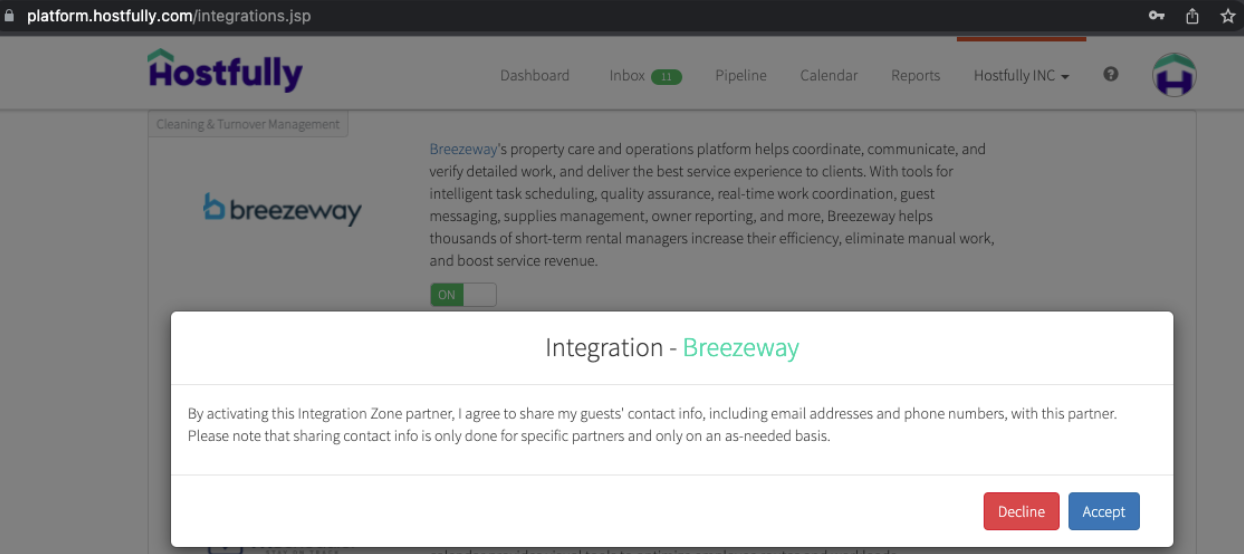
Hosts using an approved API-connected solution, such as Hostfully, have another option for security deposits. In many cases, these systems allow you to collect a deposit outside Airbnb’s checkout process, as long as you disclose this extra requirement in your listing.
Airbnb doesn’t handle this type of security deposit. Instead, you process it through your PMS and the payment providers you use. After booking, guests typically receive a secure link where they can authorize a card hold or provide payment details for the deposit.
This setup gives you an additional layer of protection alongside AirCover. When you communicate it clearly and handle it through approved software, it can fit smoothly into your booking workflow without affecting Airbnb’s built-in protection.
How to set up an Airbnb security deposit as an API-host
Setting up a security deposit through your PMS can add an extra layer of protection, but you must handle it properly to comply with Airbnb policies.
- Step 1: Make sure you have an approved system: Make sure you’re using an approved partner like Hostfully that connects directly to Airbnb and supports compliant workflows.
- Step 2: Sync with Airbnb: Check your listings are fully connected through your PMS. Leading solutions like Hostfully can help you set up and manage integrations.
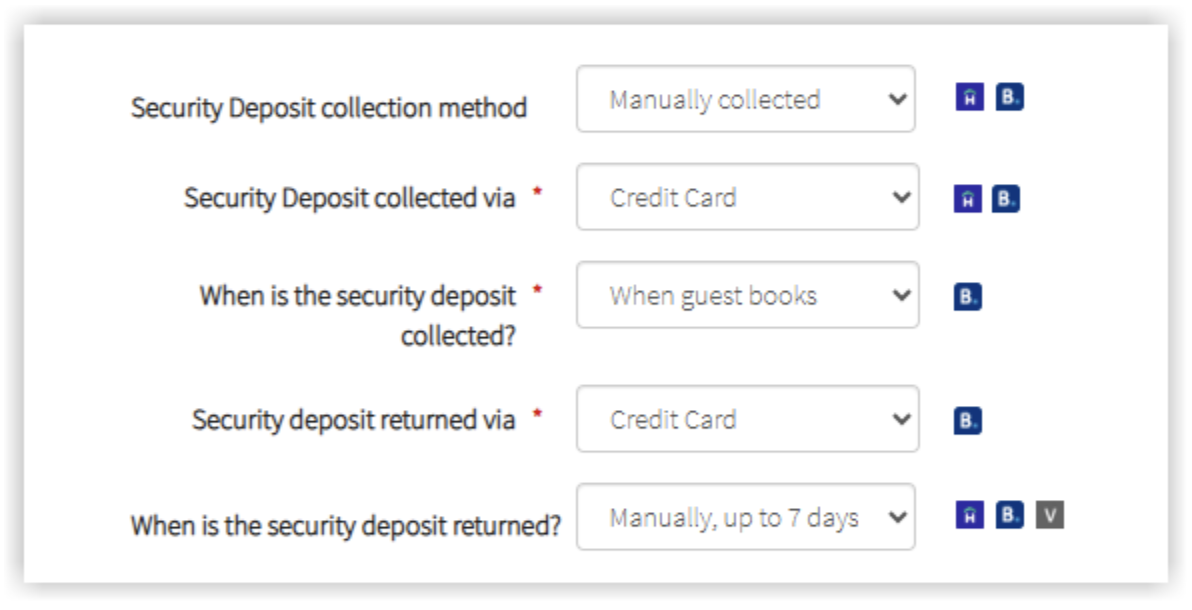
- Step 3: Decide how to handle the deposit: Choose the amount, whether you will pre-authorize or collect funds, and how long you will hold them.
- Step 4: Add a clear disclosure to Airbnb listings: Inform guests that you will collect a security deposit outside of Airbnb before booking. This step is essential for both compliance and guest trust.
- Step 5: Trigger collection after booking: Once a guest confirms a booking, Hostfully can automatically request and process the security deposit using your connected payment processor.
- Step 6: Hold or release funds: After check-out and inspection, tell your PMS whether you want to keep all or part of the deposit amount.
How much should you charge for an Airbnb security deposit?
There’s no single right amount for an Airbnb security deposit. The ideal figure depends on a variety of factors, including:
- Property type and size
- Nightly rate
- Typical guests
- Risk level
- Amenities
It’s also important to consider how much competitors are asking for security deposits. If you charge much higher, you may put some people off.
As a general rule, hosts set deposits somewhere around one night’s stay or 20-30% of the total booking value. Try to keep your deposit below this amount. The goal is to cover minor damages, not major repairs or replacements for your property, as that is what insurance is for.
If you have high-value items, consider whether you really want to risk them rather than increasing your deposit amount. It may make more sense to remove them. Often, guests appreciate amenities like high-speed internet and coffee machines over luxury decor anyway.
Pros and cons of charging Airbnb guests security deposits
Security deposits can give you extra reassurance, but it’s important to be aware of the advantages and disadvantages. You can be more prepared for potential issues.
| Pros | Cons |
| Adds an additional layer of financial protection beyond AirCover | May create friction during the booking process |
| Encourages guests to treat the property with care | Higher deposits can deter some travelers |
| Gives you more control over reimbursement timelines | Requires clear communication and strict compliance with Airbnb rules |
| Can reduce out-of-pocket costs if minor damage occurs | Gives you extra admin work to do |
| Helps standardize policies across channels | Leads to negative reviews if you need to claim the deposit |
Tips for handling security deposits on Airbnb
The way you manage security deposits can make a big difference to how well your business runs. You have to be aware that your potential guests have lots of options, and a poorly thought-out policy can drive them away.
Follow these best practices to keep the process professional and compliant:
- Make sure guests understand: “It can be a little confusing since every platform handles things differently,” says Valdez “I just make sure my house rules are very clear and that guests understand expectations upfront.”
- Research local regulations: Local authorities may have their own rules for tourist accommodation that you need to follow.
- Understand your rights: Make sure you know what you can file claims for through AirCover to avoid unnecessary work and frustrating guests. For example, anything that’s clearly the result of wear and tear rather than carelessness isn’t likely to be covered.
- Automate where possible: Use a PMS like Hostfully to set custom workflows for security deposits to reduce your workload and maintain accuracy.
- Keep a record of everything: Valdez says, “Take detailed photos before and after each stay, and have your cleaning team do the same. If something does happen, report it quickly and provide clear proof. Keeping good records makes the process much easier if you ever need to file a claim.”
- Inspect quickly after checkout: Conduct property checks as soon as possible so you can discover issues and easily make claims within the timelines.
Stay on top of damages with Hostfully
Airbnb security deposits may work differently today, but still offer a variety of ways to protect your property from damages. Whether you rely on AirCover alone or add an API-connected deposit through approved software, the key is setting up a process that works consistently across all your channels.
That is where Hostfully makes a difference. As an approved Airbnb partner, Hostfully helps you manage deposits compliantly, streamline claims documentation, and keep policies aligned wherever you list.
With Hostfully PMS, you can:
- Sync Airbnb listings seamlessly
- Collect and automate security deposits outside Airbnb where permitted
- Centralize guest communication in a unified inbox
- Trigger automated messages and payment requests
- Track tasks and inspections after checkout
- Keep an eye on properties with smart devices
- Monitor performance and stay organized across multiple channels
Managing deposits, claims, and guest communication in one powerful system helps you stay organized and respond quickly when issues arise.

FAQs about Airbnb security deposits
Can regular Airbnb hosts charge security deposits?
Generally, Airbnb hosts can’t charge security deposits. The platform hasn’t allowed users to set them since 2022, when it introduced the AirCover program for damage protection. However, those using an approved API-connected PMS can collect a deposit off-platform, as long as it’s clearly disclosed and complies with Airbnb’s rules.
What’s the deadline to file a damage claim?
You must file a damage claim within 14 days of the guest’s checkout, or it immediately becomes ineligible. If they deny your claim, you can escalate it to Airbnb’s Resolution Center for review.
Can I charge deposits on Vrbo and Airbnb with different amounts?
Yes, Airbnb and Vrbo have separate policies, so you can charge different amounts. That said, keeping your security deposits consistent across platforms and channels often makes operations simpler and avoids confusion with guests.
Will charging a deposit hurt my booking conversion rate?
Charging a deposit can hurt bookings if the amount is excessive or the policy is poorly explained. Otherwise, guests should see that it’s standard practice to protect your business and be willing to let you hold the money.