
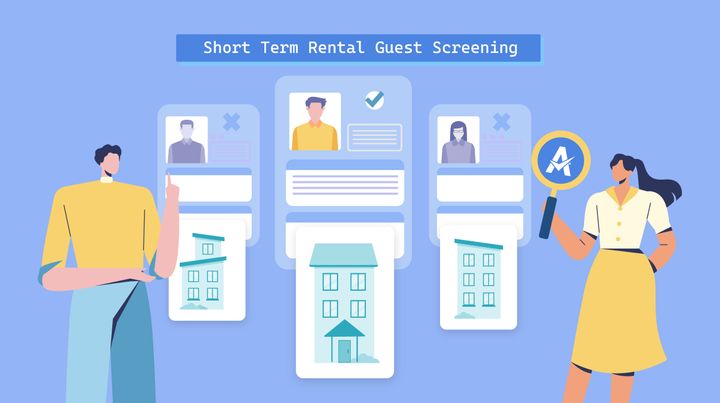
Running a short-term rental means that once guests arrive, your space is no longer entirely yours. You have to accept they may not treat the rental the way you would.
If you’re already hosting, you’ve probably found that most people are respectful and leave your property ready for a straightforward clean before the next stay. But there are always exceptions. A small number of untrustworthy guests can cause serious damage, create tension with neighbors, or even lead to issues with local authorities, making screening a necessity.
The challenge is that you don’t want to slow down the booking process with too many checks and make people feel unwelcome.
That’s why you need a quick, respectful way to screen every booking. In this article, we’ll look at what the listing sites can do, how to add additional screening yourself, and how to make the most of software tools to help you.
Why guest screening matters for vacation rentals
Guest screening is more than just avoiding bad bookings. Some key benefits include:
- Fewer damages: Screening helps you catch the guests that are most likely to break or steal items from your properties.
- Less business disruption: Fewer disrespectful guests lowers the risk that you’ll have to close your rental for repairs, replacements, or emergency clean-ups.
- Lower risk of fraud: Although it’s rare, some guests will try to play the system to get free accommodation. Verifying guests helps you catch people with a history of chargebacks and false claims.
- Trust with neighbors: Fewer disturbances due to rowdy parties and antisocial behavior help maintain good relationships with those in the local community.
- Stronger brand: A structured guest screening process shows you take hosting seriously.
- Better compliance: Many local regulations require you to know who is staying, follow occupancy limits, and manage guest behavior. Screening helps you collect the right details to comply with these laws.
- Support for vacation rental insurance: Screening processes reduce your number of claims, giving you a cleaner history and potentially lowering your premiums.
What’s the cost of not screening?
Guest screening may not seem that essential when most stays go smoothly. The key is that when it does catch issues, it can prevent the kind of bookings that cause the biggest disruption to your business.
Costs can add up quickly, turning one bad stay into multiple lost bookings and reduced revenue. This includes:
- Deep cleaning
- Repairs and replacements
- Relocating guests
- Closing your business
- Staff overtime dealing with issues
It’s not just about your property. Complaints from neighbors about noise, security, or parking can lead to your listing being removed, which is why screening matters in ways you might not anticipate.
Even if you avoid obvious risks like large, last-minute group bookings, minor issues can still chip into your profit margins. For example, there’s the extra time needed for cleaning when guests smuggle in extra people or host undisclosed gatherings.
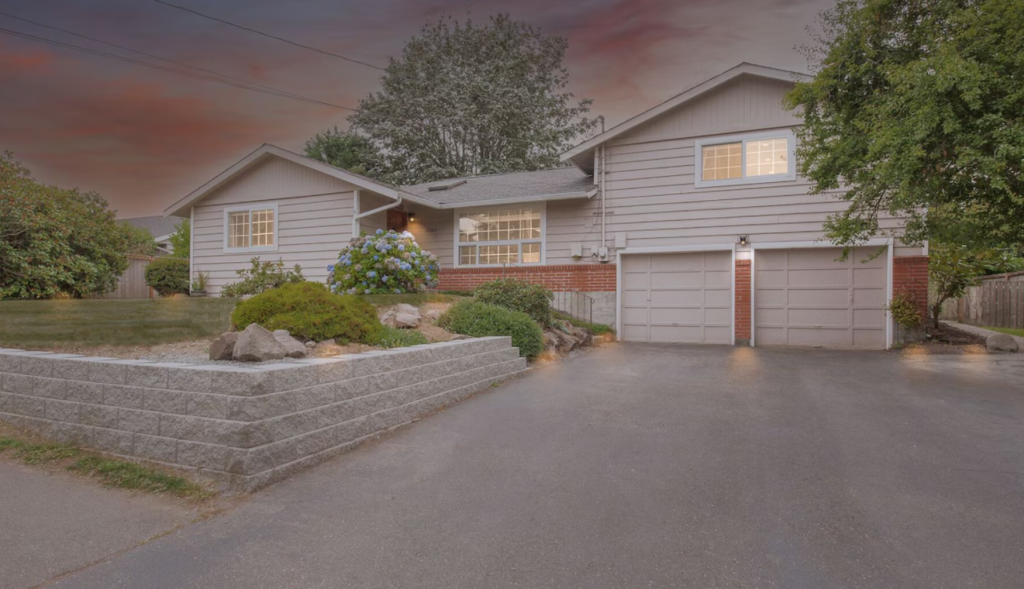
Meagan Schillinger from Edmonds Kind of Stay describes one bad experience at her short-term rental. “It ended up being a small group of workers who stayed at our place (while the woman who booked lived out of state). Even after we realized this and asked her to pass along our house rules to the workers, it didn’t make a difference, they still smoked and dragged in a lot of dirt.”
What do popular listing sites actually verify?
As well as protection like Airbnb’s AirCover and Vrbo damage protection, each platform offers its own tools to help screen guests before you confirm a booking.
Here’s a quick comparison of their features:
| Airbnb | Vrbo | Booking.com | |
| ID verification | Yes | Yes | Limited |
| Guest reviews | Yes | Yes | No |
| Instant booking controls | Yes | Yes | Yes |
| Pre-book messaging | Yes | Yes | Yes |
| Fraud detection | Yes | Limited, but less visible to hosts | Yes, but handled internally |
| House rules enforcement | Yes | Yes | Limited |
| Guest history visibility | Yes | Partial | No |
Red flags to watch for when screening guests
Experienced hosts often learn the subtle warning signs that a booking will lead to issues. This helps you spot and deal with problems before you’ve even initiated the screening process.
As Alex Foti of Bretton Woods Vacations notes, “While bookings can happen instantly, without any screening, there are red flags that are worth investigating — especially bookings made by guests with a local address, which often indicate the intent to use the property for a party”.
Below are some red flags to look out for:
- Reluctant to answer questions: Gives short or vague replies and avoids confirming who is staying or the reason for the trip
- Hesitant to show themself: Pushes back on simple identity checks or avoids meeting face-to-face
- Inconsistent details during booking: Changes names and arrival times as the conversation continues over messaging
- One-night bookings: Only reserves the property for a day, often at the last minute
- Reservations over major holidays: Books during high demand periods like New Year’s Eve or 4th July when people are more likely to throw parties
- Young groups: Reserves the property for a large group of teenagers, possibly to get around the Airbnb age requirement
How to build a guest screening workflow that works
Screening is something you want to keep as simple as possible. Guests may be put off staying at your rental by a constant back and forth of emails asking about their visit.
Here’s how to find the right balance and develop a smooth process:
Choose the right guest screening tool
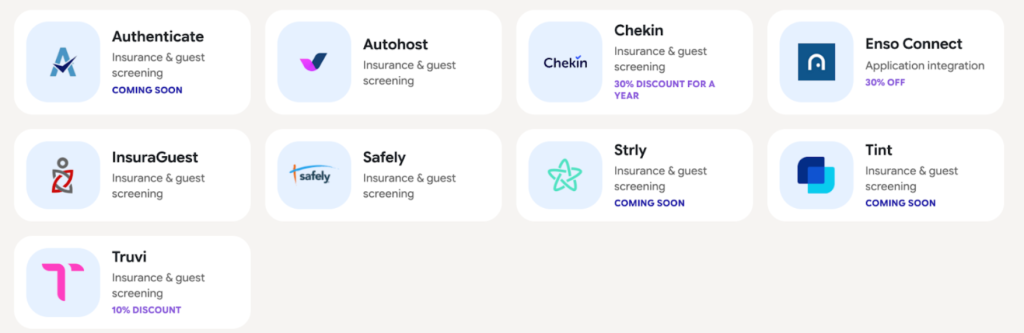
Automate your screening process to save time while conducting more thorough checks. You can use guest screening tools to verify identities, analyze online presence, and scour hundreds of databases. Afterward, you receive a risk score for each reservation so you can decide whether to confirm.
Guest screening tools handle all of these tasks in minutes, meaning you won’t slow down the booking process and potentially frustrate guests.
Leading providers connect with Property Management Software (PMS) like Hostfully. All you have to do is find them in our integration marketplace and follow the steps to connect your accounts. Once you’re set up, the tools automatically screen guests whenever a booking comes in.
Set booking rules that filter guests automatically
Booking sites like Airbnb and Vrbo often let you configure settings to filter out certain bookings. These let you stay in control without having to check every booking yourself. Better yet, you can usually manage them through your PMS.
Here are some typical filters:
- Last-minute bookings
- Same-day bookings
- Underage guests
- Short stays
- Low ratings and reviews
Foti says to make sure your booking rules comply with local laws. “Screening is fraught with challenges and potential pitfalls,” he says, “Especially in a state like New Hampshire where, as Real Estate licensed hosts, we cannot discriminate even on the basis of age.”
Use pre-booking forms strategically
Pre-arrival forms are a quick way to check that guests will follow all your rules before confirming a reservation. This involves drafting a quick set of questions and scheduling them using your guest screening tool.
The goal isn’t to interrogate guests, but to catch bookings that are a bad fit for your business or might’ve slipped past the standard filters.
Keep questions focused and practical. You can ask who will be staying, the purpose of the trip, and what they expect to do during their visit. Clear answers usually suggest there isn’t much risk, while vague or inconsistent responses may point to issues.
For example, Schillinger has changed her screening process after some unexpected gatherings. “We make sure to ask more questions if someone is saying they are coming for an event,” she says, “We don’t want parties at our STR, so if the person booking is visiting for a wedding, graduation, birthday, or family reunion, we double-check with them that they aren’t planning to host the event.”
Identify the main risks to your property
Every short-term rental business faces different risks. Your unique setup should influence how you manage the screening process and deal with potential issues.
You should consider:
- Property size and type
- Amenities
- Nearby attractions
- Location
- Local regulations
- Target guests
Tailoring your screening process for your unique risk profile helps you reduce the risk of issues without introducing unnecessary friction for the right guests.
If you manage a beachside rental, for example, you probably focus on verifying guest ages and group sizes to check for unauthorized gatherings. You’re less likely to face this issue with a remote woodland cabin. However, you might require stricter background checks to rule out the possibility of illegal hunting parties.
Confirm house rules and expectations early
Setting expectations early can help you screen reservations. Foti says he has clear house rules and makes sure they’re spelled out before a guest books, including penalties for violations. He says, “It’s better to lose a guest who may be uncomfortable with these rules, than to allow potentially nefarious behavior in the homes in our care.”
Start by sending automated messages that outline your house rules. You can create templates with fields and triggers using a PMS with task automation features like Hostfully. This reinforces what’s allowed before guests arrive, making it easier to prevent issues rather than deal with them mid-stay.
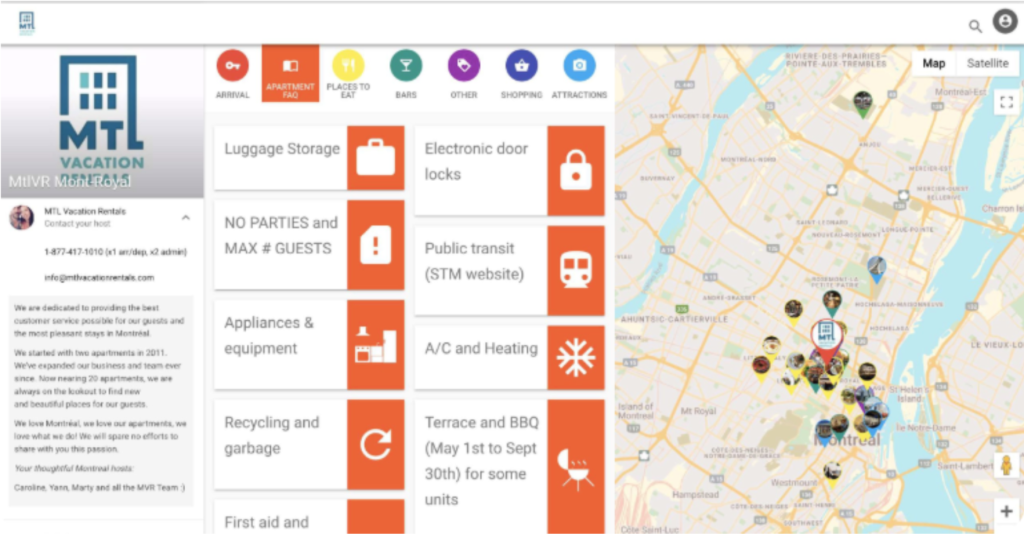
Then get more specific with your digital guidebook. Solutions like Hostfully let you add more detailed house rules, multimedia instructions for property care, and recommendations for the local area. Guests can refer back to it at any time, helping avoid confusion and keeping stays running smoothly.
Protect your vacation rental business with smarter guest screening
Guest screening is one of the simplest ways to protect your vacation rental business, but it only works when you’re consistent.
Hostfully PMS can help you keep the screening process going. Instead of relying on manual checks or guesswork, our platform enables you to build a structured workflow that runs automatically in the background while keeping you in full control.
- Integration marketplace with leading guest screening tools
- Automated messaging to send pre-booking questions and confirmations
- Digital guidebooks to clearly communicate house rules and expectations
- Channel manager to sync bookings and apply consistent screening across platforms
- Unified inbox to manage guest communication in one place
- Smart device integrations to monitor access and activity
Smarter screening processes mean you spend less time investigating potential guests and focus on delivering a fantastic experience.

FAQs about vacation rental guest screening
What are the red flags when screening guests?
There is a range of possible red flags when screening guests. Vague communication, inconsistent responses, and one-night bookings are some of the most powerful warning signs. On their own, these don’t always mean a booking is risky, but they can justify extra checks.
How much does guest screening cost?
The cost of guest screening tools can vary. Many operate on a per-booking fee or include screening as part of a broader protection package. As the total cost is often small compared to property damage and chargebacks, it’s best to try and fit the tools into your budget.
Should I turn off Airbnb’s Instant Book for better screening?
The decision whether to turn off Airbnb’s Instant Book depends on your business. If your property is at high risk for disruptive guests, you might prefer to disable it and maintain more control over the verification process. But otherwise, you may want to use it to drive more bookings.